Herringbones problem
When you examine the 'first-light picture and the darkframe you can see herringbone interference patterns. We must have a sollution to get rid of it!
Whats the cause(s) of this pattern?
I think the cause of this pattern is the electric noise. The camera-electronic board gives an analog video-output through the long cable to the second electronic board with the ADC and the CPU. This cable is the cause of the electronic noise and the pattern in the image. On bright images, you can't see the pattern because we don't use a long exposure-time
Cause:
sollution:
One sollution is to make a good shielded cable or with a second shielding (triax-cable) But i think it is better to place the 2 electronic boards in 1 housing with a very good shielding. For the connection tot the PC we take a shielded good quality 1:1 serial cable of 3 m.
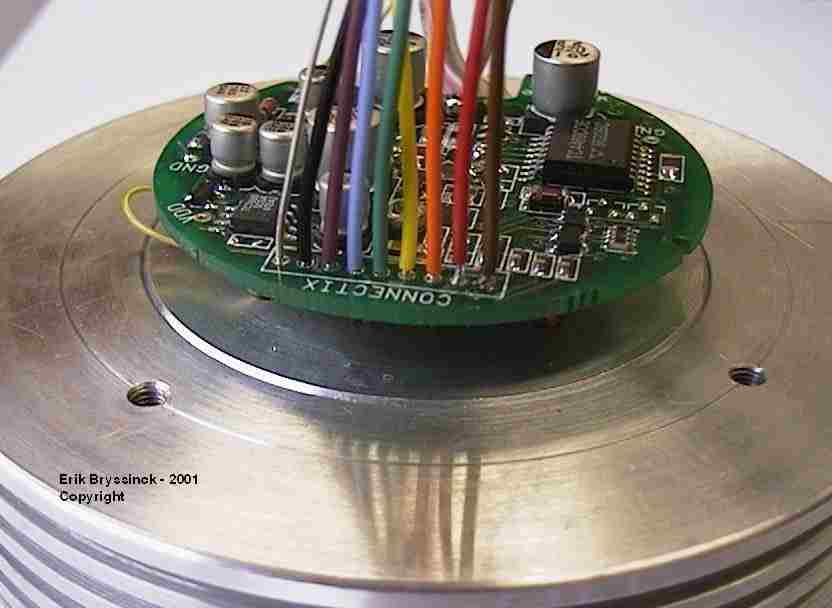
camera electronic board: with analog video-out
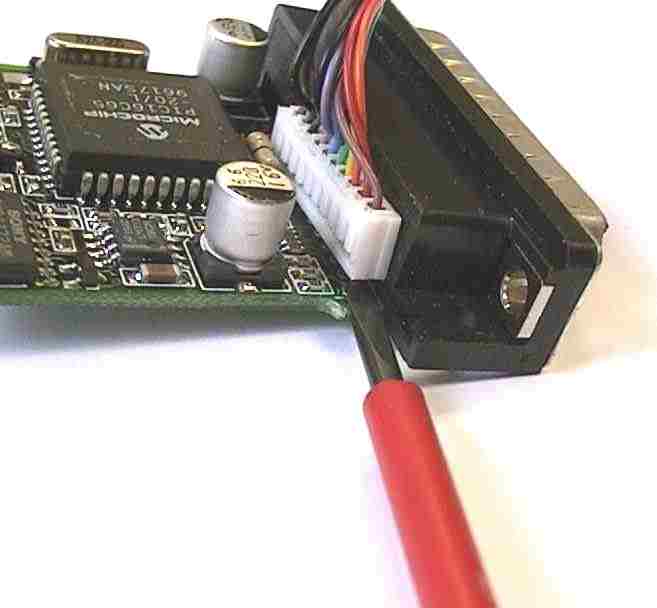
second electronic board. on the left edge, you see the ADC chip.
Practical:
On the pictures above, you can see a connector on the cabel on both sides of the cable. We remove this connectors by putting a knife or a very small screwdriver under the connector and pull it up.
colorcode of the wires:
you can see that the standard color code is used for electronic components. nr. 1 is brown and so on.
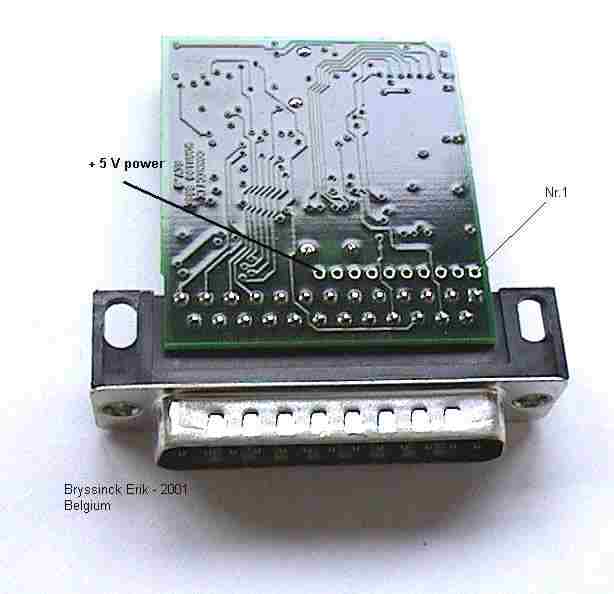
On the circuit board you locate the first pad because the pad in't round but with edges.
we're going to use cu-wire AWG24 (wire-wrap) to connect the 2 circuit boards. When we turn the 2 component sides to each other we can see that it is easy to connect the 2 boards, straight thrue.
5V power supply:

You can see that the ADC circuit board has 1 connection more on the connectioncable . This is needed for the 5V power supply.  We can't use the power of the keyboard anymore. So we must get a external 5V power supply. Maybe from battery's ?
Erik Bryssinck - 01 maart 2001
Klik voor volledige foto
klik voor volledige foto